QR Codes are widely used for sharing information quickly, but small mistakes in design, printing, or linking can make them ineffective or completely unusable. Many businesses and individuals lose potential engagement simply because their QR Codes do not work as expected.
This article explains the most common QR Code mistakes to avoid, focusing on design errors, printing issues, and broken links. By understanding these mistakes, you can ensure your QR Codes are reliable, professional, and easy to scan.
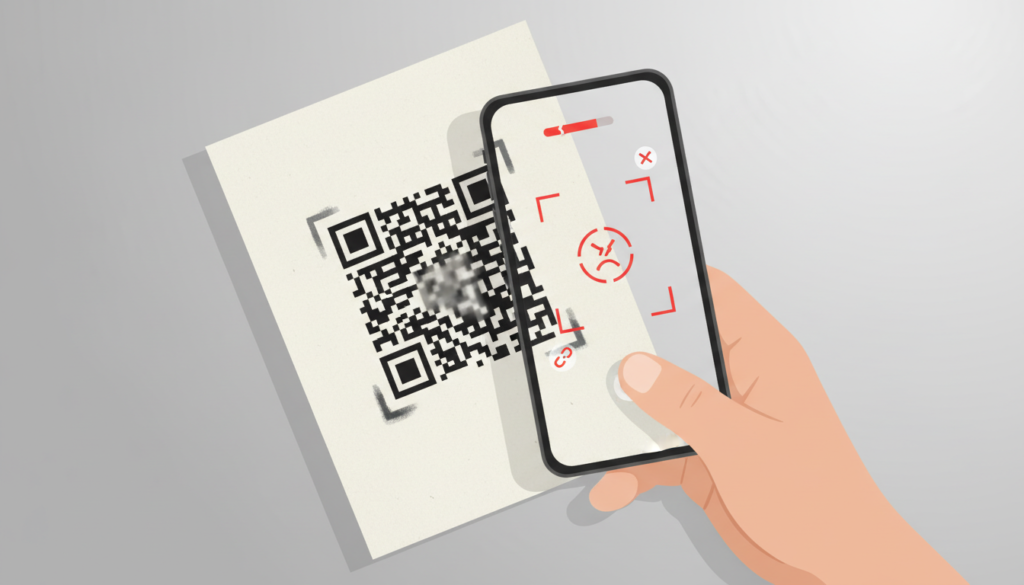
Why Avoiding QR Code Mistakes Is Important
A QR Code is often the first point of interaction between a user and your digital content. If scanning fails, users may:
- Lose trust in your brand
- Ignore future QR Codes
- Abandon the action entirely
Avoiding common mistakes helps improve user experience, engagement, and credibility.
Design Mistakes to Avoid in QR Codes
Design plays a major role in QR Code scannability. Over-designing or incorrect customization can cause scanning failures.
Making QR Codes Too Small
One of the most frequent mistakes is generating QR Codes that are too small to scan, especially for print materials.
Problems caused:
- Cameras cannot focus properly
- Scanning fails from normal distance
Always follow recommended size guidelines and increase size based on viewing distance.
Poor Color Contrast
QR Codes require strong contrast between the code and the background.
Common mistakes:
- Light-colored QR Codes on light backgrounds
- Low-contrast color combinations
Best practice is to use dark QR Code patterns on light backgrounds for maximum readability.
Removing the Quiet Zone
The quiet zone is the empty margin around a QR Code that helps scanners recognize its boundaries.
Mistake:
- Placing text, images, or borders too close to the QR Code
Without enough quiet zone, scanners may fail to detect the QR Code.
Over-Customization and Decorative Designs
Some users excessively customize QR Codes with unusual shapes, thin lines, or decorative patterns.
Problems caused:
- Distorted structure
- Reduced error correction effectiveness
QR Codes should prioritize function over appearance.
Oversized Logos in the Center
Adding a logo can improve branding, but using an oversized logo can block important data.
Mistake:
- Covering too much of the QR Code grid
Logos should be small and centered, with error correction enabled.
Printing Errors That Affect QR Codes
Even well-designed QR Codes can fail due to printing mistakes.
Low-Resolution Printing
Printing QR Codes at low resolution causes blurred edges, making them hard to scan.
Avoid:
- Pixelated prints
- Poor-quality printers
Always use high-resolution images for print.
Ink Bleeding and Paper Quality
Certain paper types and printing methods can cause ink to spread, affecting the QR Code pattern.
Common issues:
- Smudged edges
- Merged blocks
Testing on the final print material is essential.
Glossy and Reflective Surfaces
Printing QR Codes on glossy or reflective surfaces can create glare.
Result:
- Camera struggles to focus
- Scanning fails under bright light
Matte finishes generally work better for QR Codes.
Incorrect Placement on Curved Surfaces
Placing QR Codes on curved or uneven surfaces can distort the code.
Examples:
- Bottles
- Cylindrical packaging
Distortion can make QR Codes unreadable from certain angles.
Broken Links and Technical Mistakes
Even a perfectly scannable QR Code is useless if the destination does not work.
Linking to Broken or Deleted Pages
A common mistake is linking QR Codes to pages that are later removed or renamed.
Result:
- Users encounter error pages
- Loss of trust
Always ensure linked pages remain active.
Using Temporary or Expiring Links
Some QR Codes link to temporary URLs or trial pages.
Risk:
- Links stop working after expiration
For long-term use, always link to permanent URLs.
Not Testing Links After Creation
Failing to test QR Codes after creation is a major mistake.
Always test:
- Before publishing
- After printing
- On multiple devices
Testing ensures both the QR Code and the link work correctly.
Redirecting to Non-Mobile-Friendly Pages
QR Codes are mostly scanned on smartphones.
Mistake:
- Linking to desktop-only or slow-loading pages
Always link to mobile-friendly and fast-loading content.
Marketing and Usage Mistakes
Beyond design and technical issues, usage mistakes can also reduce effectiveness.
Not Explaining What the QR Code Does
Users are more likely to scan when they know what to expect.
Mistake:
- Placing QR Codes without context
Add a short explanation like “Scan to view menu” or “Scan for details.”
Placing QR Codes in Hard-to-Reach Locations
Poor placement reduces scan rates.
Avoid placing QR Codes:
- Too high or too low
- In dark areas
- Where scanning is uncomfortable
Ignoring Maintenance
QR Codes are often treated as “set and forget.”
Mistake:
- Never rechecking printed QR Codes
Periodic checks help ensure QR Codes still work as intended.
How to Avoid These Mistakes
To avoid common QR Code mistakes:
- Follow size and contrast guidelines
- Keep designs simple
- Test before and after printing
- Use reliable links
- Place QR Codes thoughtfully
A small amount of extra effort prevents major issues later.
Static vs Dynamic QR Codes and Mistakes
Static QR Codes are permanent and reliable but cannot be edited.
Dynamic QR Codes allow updates but depend on service providers.
Mistakes to avoid:
- Using static QR Codes for changing content
- Using dynamic QR Codes without understanding costs
Choose the right type based on your needs.
Best Practices Summary
Avoiding mistakes ensures QR Codes remain effective and professional.
Key takeaways:
- Design for scannability first
- Print with quality materials
- Test links regularly
- Provide clear context for users
These practices improve reliability and user trust.
Conclusion
QR Codes are powerful tools, but simple mistakes can render them ineffective. Design errors, printing issues, and broken links are among the most common problems that reduce scan success and user engagement.
By understanding and avoiding these common QR Code mistakes, individuals and businesses can create reliable, scannable QR Codes that deliver a smooth and positive user experience. Careful design, proper testing, and thoughtful placement make all the difference.